Offsite
Keep a second copy somewhere else.
Store repositories on BorgBase, Hetzner Storage Boxes or rsync.net, and mirror local ones to S3-compatible storage: AWS S3, Wasabi or Backblaze B2.

Borg Backup Server schedules, monitors and restores encrypted Borg backups across Linux, Windows and macOS. Self-hosted, MIT licensed, and free.
*Counted only from servers on v2.93.5 or later that send anonymous usage stats, so the full numbers are higher.
Agents on Linux, Windows and macOS poll BBS over HTTPS and push backups over SSH into append-only repositories. Nothing connects inbound to an endpoint. A breached server can’t touch your clients, and a breached client can’t erase its own history.
 BBS ServerCONTROL PLANE
Endpoints poll BBS for work over HTTPS. No inbound firewall rules or server-initiated SSH access required.
Backup agents can create archives but cannot delete or prune repository data — even a fully compromised client can't destroy history.
Borg repositories remain encrypted at rest, while stored credentials and repository passphrases are protected with AES-256-GCM.
Mirror local repositories to S3-compatible object storage for maximum offsite protection — a second copy that lives beyond your own hardware.
Pick a client, choose what to back up, set a schedule and retention. BBS runs borg create, prune and check for you, hourly, daily, weekly or on demand.

MySQL, PostgreSQL and MongoDB plugins dump each database before Borg runs, and restore straight back into the server or into a separate copy. Shell hooks cover the rest: Redis, SQLite, LVM or ZFS snapshots.

Every archive is catalogued, so you can search across recovery points and browse the tree in the browser without mounting a repository. Restore files to the machine they came from, or download them as a .tar.gz.

Sign in through your identity provider, or use local accounts with TOTP two-factor and recovery codes. Per-client permissions decide who can view, run backups, restore files or change plans on each machine.

Jobs stream progress, transfer rates and Borg’s own output to the browser. The dashboard shows what ran, what failed and how much deduplication saved.
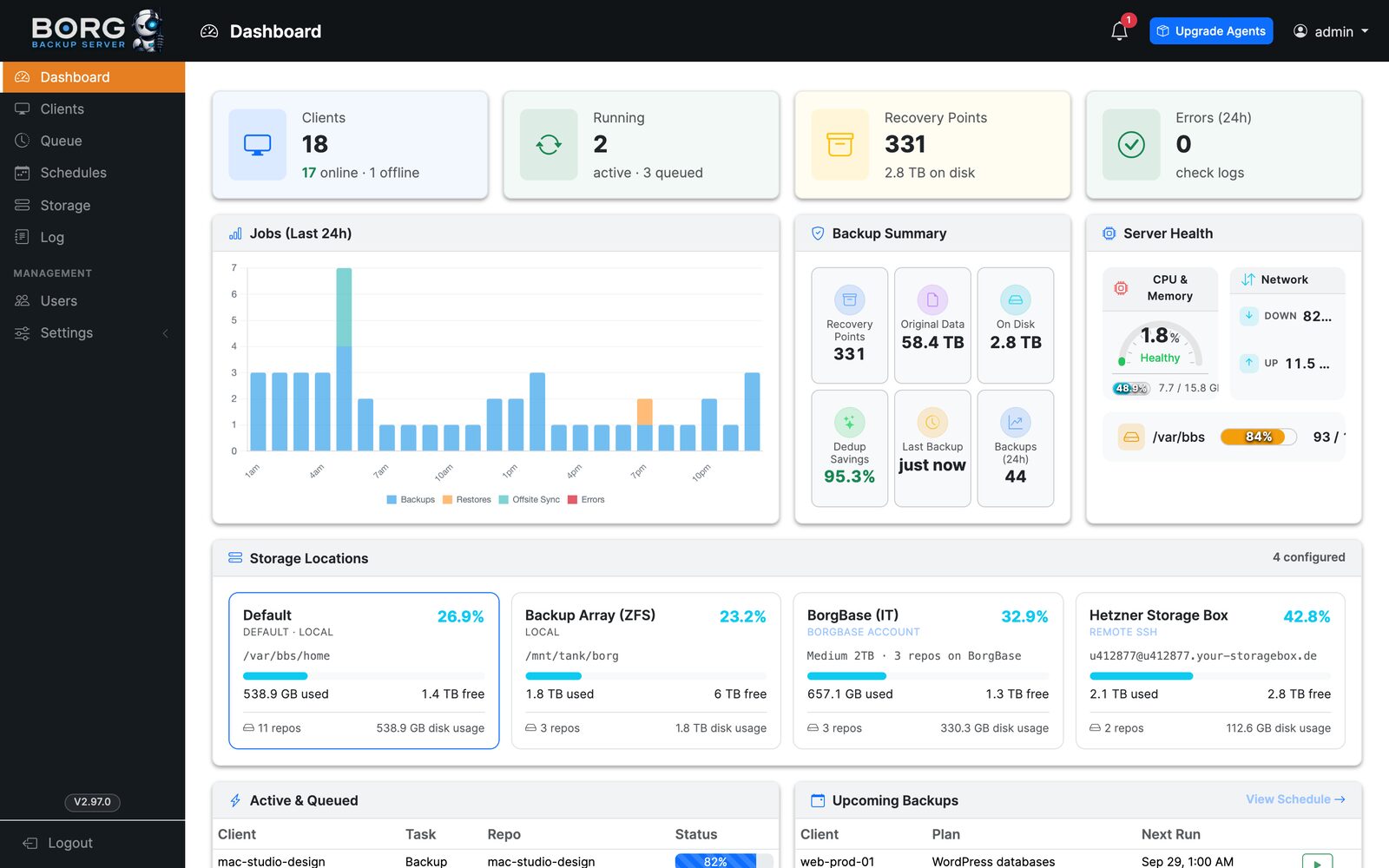
Store repositories on BorgBase, Hetzner Storage Boxes or rsync.net, and mirror local ones to S3-compatible storage: AWS S3, Wasabi or Backblaze B2.
Agents, Borg versions and the server itself, one click or fleet-wide.

Nightly email reports, plus alerts through Apprise to more than 100 services.
Concurrency limits, a live queue, cancel and retry.

A native borg.exe that stores NTFS ACLs. No WSL, no Cygwin, no Python. BSD licensed and maintained with BBS.
Scheduled backups of the BBS database, config and encryption material, with optional S3 copies and generated recovery scripts.
BBS Manager is the iOS companion to your server. It connects straight to your own BBS install and puts clients, the queue and restores on your phone, with a push alert the moment a job fails.
 Scan with
7-day free trial, then $3.99/month. Requires a Borg Backup Server install. More about the app →
Every feature on this page ships in the open-source server. BBS Manager is a paid add-on for people who want their backups on their phone.
MIT licensed. No license keys, no paid edition, no hosted control plane.
7-day free trial. Price in USD; may vary by region.
Docker is the fastest path. Bare metal, VMs and LXC containers are covered step by step in the installation guide.
$ curl -sO https://raw.githubusercontent.com/marcpope/borgbackupserver/main/docker-compose.yml
$ docker compose up -d
# then open http://localhost:8080 and grab the admin password from `docker compose logs bbs`
Spin up a private Borg Backup Server in about a minute. Create backup plans, browse the restore screen and test the database plugins in a real environment.
No credit card required. We'll email a confirmation link that instantly spins up your demo — fully automated.
Install it on your own hardware today, or try a private demo first.
On iPhone? Manage it from your pocket with BBS Manager.

